
How to Get Your Santa Barbara Business Featured in Google’s AI Overview
Category
Content
Posted on
Updated

Author
Daria Nikolaeva
SEO & AI Search
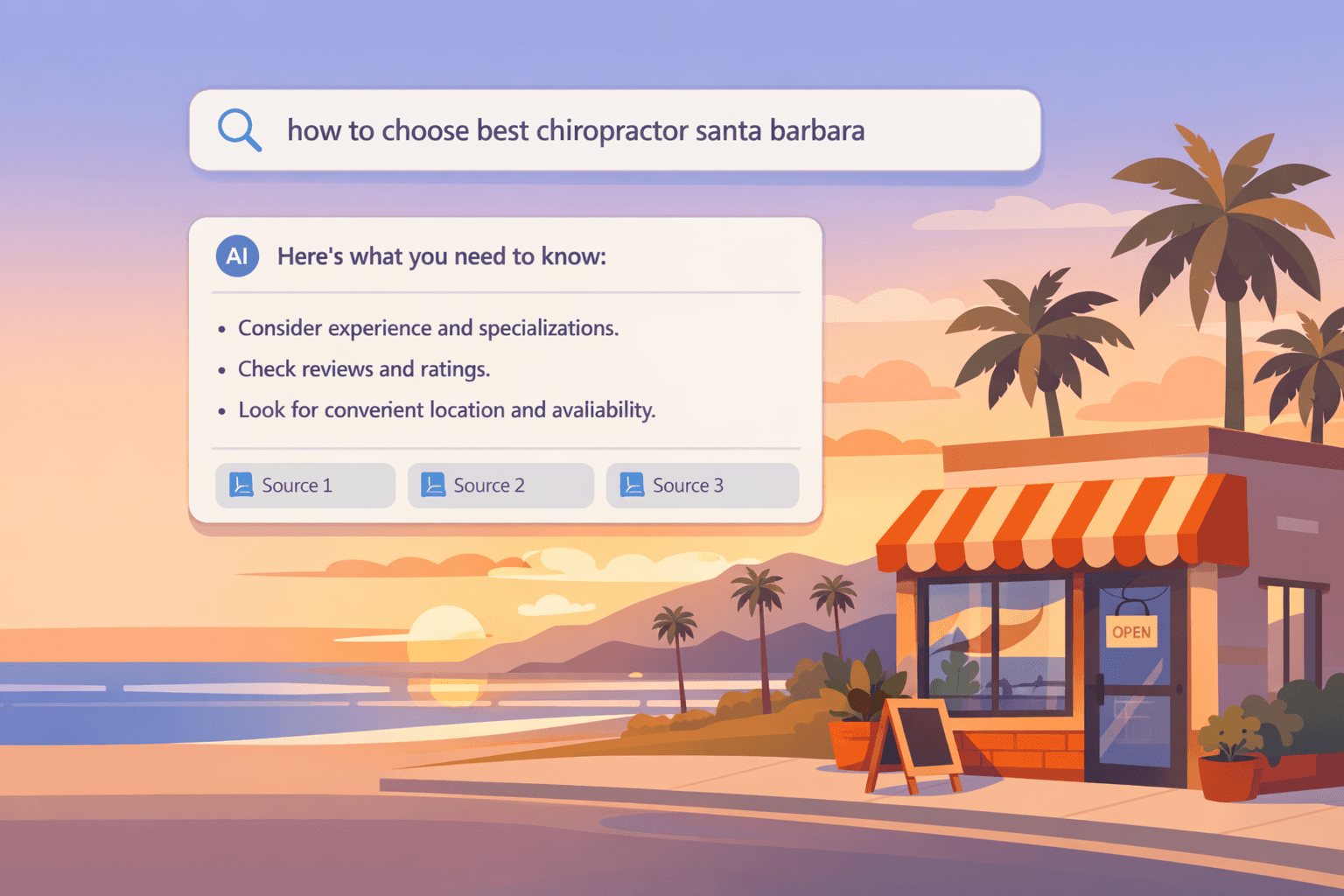
Table of Contents
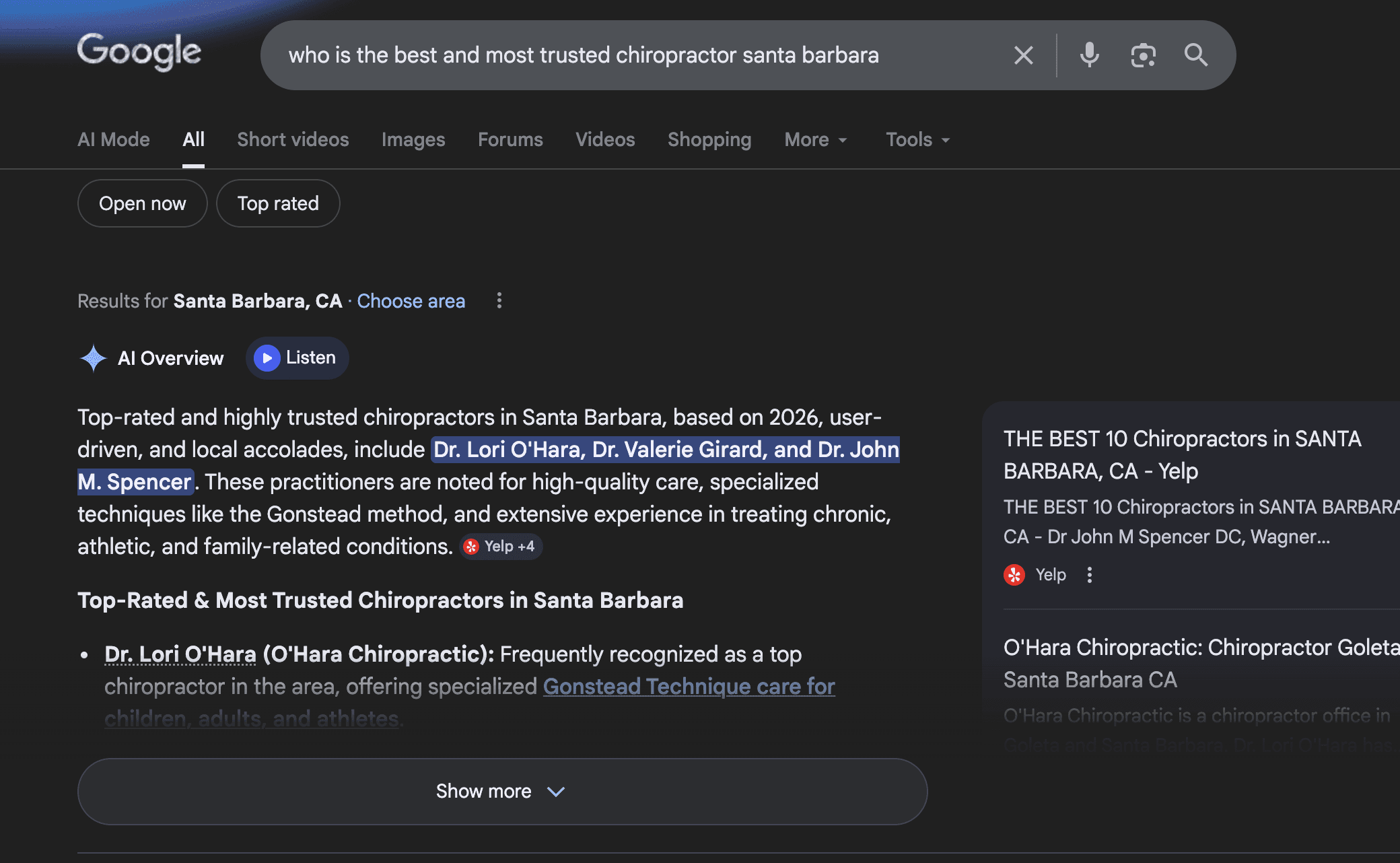
When someone in Santa Barbara searches for something like “who is the best and most trusted chiropractor in Santa Barbara” or “Santa Barbara roofing contractor,” Google now often shows an AI summary at the top called Google AI Overviews. That summary pulls in a few websites it “trusts” and uses them as sources.
What is Google’s AI Overview?
Google’s AI Overview is a summary box that appears at the top of some search results. It uses AI to answer the searcher’s question and cites a few websites as sources.
For Santa Barbara businesses, getting cited in that box means more visibility, more trust, and often more leads—especially for local, service‑based searches.
Why does the AI Overview matter for Santa Barbara businesses?
Many locals and visitors search for things like:
“how to choose yoga studio in Santa Barbara”
"what should i ask when hiring a Santa Barbara home renovation contractor"
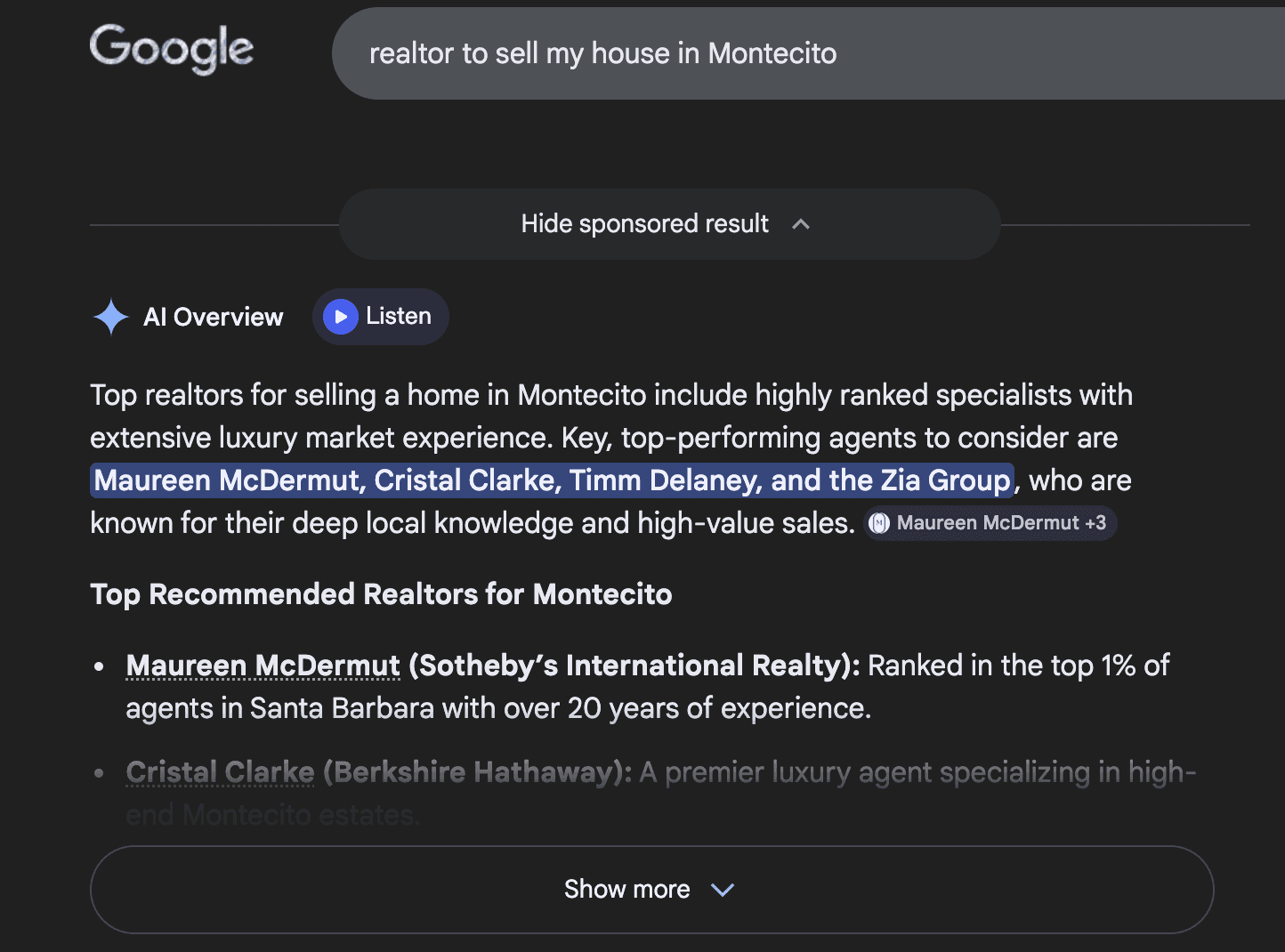
“realtor to sell my house in Montecito”
When an AI Overview shows up for those searches, people see the AI answer first. If your business is one of the sources it uses, you can stand out even against bigger competitors.
Step 1: Pick the right questions to answer
Start with the real questions your customers ask you all the time. Turn them into Google‑style searches and build content around them.
Examples for Santa Barbara local businesses:
“How much does weekly house cleaning cost in Santa Barbara?”
“How to choose a contractor for a kitchen remodel in Santa Barbara?”
“What should I look for in a real estate agent in Santa Barbara?”
“Is chiropractic care safe during pregnancy?”
Give each big question its own page or thorough blog post. One main question per page + several related questions is a great format.
Step 2: Structure your page like a Q&A
Think about your page the way the AI builds its summary: a main question, then clear sub‑questions and answers.
On each page:
Use a clear H1 (main headline) with the main question or outcome
Example: “How to Choose a Contractor in Santa Barbara: 2026 Homeowner Guide”
Use H2s and H3s as real questions
“What licenses should a Santa Barbara contractor have?”
“How much does a kitchen remodel typically cost?”
Under each heading, start with a short, direct answer (2–4 sentences), then add details, examples, and stories below.
This format makes it easy for Google’s AI to grab accurate, self‑contained answers from your content.
Step 3: Write like you’re talking to a Santa Barbara neighbor
Skip jargon. Use natural, conversational language.
Speak directly to the reader: use “you” and “we.”
Keep sentences short and clear.
Use real local context: neighborhoods (Goleta, Montecito, Carpinteria), landmarks, seasonal patterns (tourist season, UCSB calendar, etc.).
Example:
“If you live in Santa Barbara, you know scheduling home projects around summer traffic and busy seasons can be tricky. Here’s how to plan a remodel so it doesn’t drag on for months.”
Google’s AI tends to favor content that sounds like it was written for humans first, not just for search engines.
Step 4: Show that you’re a real local business
The AI needs to understand that you’re not just writing about Santa Barbara—you actually serve people here.
Make sure:
Your business name, address, and phone number are consistent on your website, Google Business Profile, Yelp, and other directories.
Your site clearly shows your service area and city in the header, footer, and key pages.
You mention Santa Barbara and nearby areas naturally:
“We serve Santa Barbara, Goleta, and Montecito homeowners…”
Add real‑world signals like:
Photos of your team, office, or work (even simple smartphone photos)
A short “About” section explaining how long you’ve been in the area and what types of clients you usually help
This all helps the AI connect “trusted local business” with your content.
Step 5: Add a simple FAQ section on your key pages
AI Overviews love clear questions and answers. A small FAQ section at the bottom of important pages is perfect for this.
For example, a Santa Barbara contractor page might include:
“How far in advance should I book a contractor in Santa Barbara?”
“Do you help with permits for Santa Barbara projects?”
“Can you work around noise or parking restrictions in my neighborhood?”
Answer each question in one short paragraph. You can later have your developer or platform add FAQ schema (a bit of behind‑the‑scenes code) to help Google recognize these questions more clearly.
Step 6: Use basic structured data (schema) to label your content
You don’t have to be a developer, but a few simple things help:
Make sure your site uses LocalBusiness or the right specific business type (e.g., MedicalBusiness, HomeAndConstructionBusiness, RealEstateAgent) to describe your business.
On blog posts and guides, use Article or BlogPosting schema.
On pages with FAQs, add FAQ schema.
This structured data is like adding labels to your content so Google’s systems can quickly understand who you are and what each page is about.
If you use WordPress, Webflow, or a similar platform, many plugins and built‑in settings can handle this without custom coding.
Step 7: Prove your expertise with real examples
AI systems look for signs that you actually know what you’re talking about.
Easy ways to do that:
Share mini‑case studies:
“We helped a family in San Roque add a second bathroom without needing to move out during construction.”
Mention approximate numbers where appropriate:
“Most kitchen remodels we do in Santa Barbara range from X to Y weeks, depending on permits and complexity.”
Explain your process in plain language:
“Here’s exactly what happens after you call us, step by step.”
This turns your content from generic advice into grounded, experience‑based guidance.
Step 8: Get and respond to reviews
Reviews support both regular search and AI Overviews, especially for local queries.
Ask happy customers to leave Google reviews, ideally mentioning the service and location if they feel comfortable doing so.
Example: “They helped us prepare our Santa Barbara home for sale and got multiple offers quickly.”
Reply to reviews in a calm, thoughtful way. Thank people for positive comments and address concerns respectfully.
These reviews reinforce that you’re active, trusted, and actually serving the community.
Step 9: Make your pages fast and easy to use
User experience still matters, even in an AI world.
Check that:
Your site loads quickly on mobile (most local searches happen on phones).
Text is easy to read on small screens.
Buttons to call, book, or contact you are obvious and easy to tap.
If people land on your page and stay to read, scroll, and interact, it’s a good signal that your content is truly helpful.
Step 10: Keep improving based on real searches
AI Overviews and search results evolve. Your content should, too.
Every couple of months:
Search for your key questions from a Santa Barbara location (especially on your phone).
See if an AI Overview appears and what kind of content it shows.
Compare your page with those sources:
Are you answering the question more clearly?
Do you cover more of the follow‑up questions?
Can you add a better example, updated pricing ranges, or fresh local details?
Small, regular updates are often enough to keep your content relevant and competitive.
Putting it all together for Santa Barbara marketing
If you’re a chiropractor, contractor, real estate agent, or any other Santa Barbara service business, your playbook for AI Overviews looks like this:
Pick real questions your customers actually ask.
Create one strong page per main question, using clear Q&A structure.
Write like you’re talking to a local neighbor.
Make it obvious that you’re a real Santa Barbara business.
Add FAQs, basic schema, and real examples from your work.
Keep earning reviews and refreshing your content.
Let’s talk about your next step.
Schedule a free 15-minute consultation with SOURCEsem. Tell us about your business, ask your questions, and get clarity on where to focus next.


